The Four-Eyes Principle: Implementing Dual Approval in Jira
The four-eyes principle, also known as dual control, maker-checker, or the two-person rule, is a control mechanism that requires at least two people to independently review and approve a decision before it takes effect. Originating in German banking regulation (Vier-Augen-Prinzip), it has become a cornerstone of compliance frameworks worldwide.
No single individual should have unchecked authority over a critical action. One person initiates (the "maker"), and a separate person verifies and approves (the "checker"). That separation is what reduces the risk of errors, fraud, and non-compliance, because a second independent reviewer catches what the first person missed or wouldn't flag on their own.
If your team operates under ISO 26262, SOX, HIPAA, DO-178C, or similar standards, you likely need to enforce dual approval, and your tools need to support it with a verifiable audit trail.
Where the Four-Eyes Principle Applies
Automotive (ISO 26262)
Functional safety in automotive software demands independent verification at every ASIL level. ISO 26262 Part 6 requires independent verification of safety-critical software at ASIL-B through ASIL-D levels, meaning design reviews, test case approvals, and release sign-offs all require documented dual approval. Automotive teams lean on formal sign-off workflows to satisfy auditors and demonstrate that safety-relevant changes were never self-approved.
Aerospace & Defense (DO-178C)
Software certification for airborne systems under DO-178C requires independent review of requirements, design, code, and test results. Specifically, DO-178C objectives for verification independence mandate that the person performing verification activities must not be the same person who developed the item being verified, particularly at Design Assurance Levels A and B. The FAA and EASA expect documented evidence that no single person can approve their own work.
Finance (SOX Section 404)
Sarbanes-Oxley Section 404 specifically requires management to assess and report on the effectiveness of internal controls over financial reporting. Any system change that affects financial reporting must be approved by at least two authorized individuals. Auditors look for evidence that controls are not only designed correctly but operating effectively. That means timestamped approval records, not email threads.
Healthcare (HIPAA / FDA 21 CFR Part 11)
Electronic records and signatures in regulated healthcare and pharma environments must comply with 21 CFR Part 11, which requires that electronic signatures be linked to their respective electronic records and include the printed name, date/time, and meaning of the signing. Access controls must prevent a single person from both creating and approving a record, and the system must generate audit trails that record the date and time of operator entries and actions.
Why Jira's Native Workflow Falls Short
The four-eyes principle needs two things a native Jira workflow can't give it. The first is genuine maker/checker separation: the system has to know that the person approving a transition is not the person who authored the work, and enforce that automatically rather than trusting people to recuse themselves. A group-membership condition on a transition can't tell the difference. The second is proof after the fact. Verification independence only counts if you can show an auditor who approved, when, and that they were a distinct person from the author. Native transitions leave no such record; they simply fire or don't.
So teams improvise with comment-based approvals, spreadsheet trackers, or email chains, none of which enforce separation and none of which stand up as audit evidence.
Group Sign-Off closes both gaps: it excludes the author from the approval group automatically and records every decision with a timestamp and a name. Try it free on the Atlassian Marketplace.
Native Jira vs. Group Sign-Off
| Feature | Native Jira | Group Sign-Off |
|---|---|---|
| Multi-person approval | No | Yes |
| Parallel sign-off | No | Yes |
| Audit trail with timestamps | No | Yes |
| Delegation when approver is unavailable | No | Yes |
| Rejection workflows | No | Yes |
| Structured decision history | No | Yes |
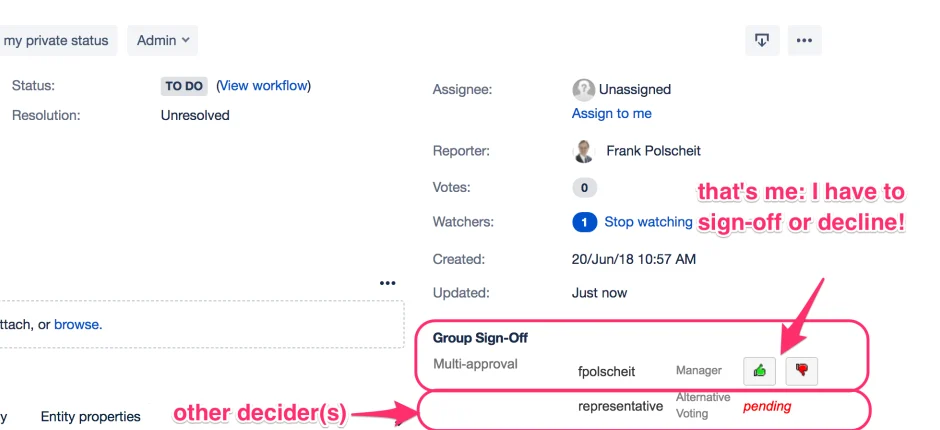
Implementing the Four-Eyes Principle with Group Sign-Off
Group Sign-Off adds formal multi-person approval workflows to Jira. Here's how to configure it for four-eyes compliance:
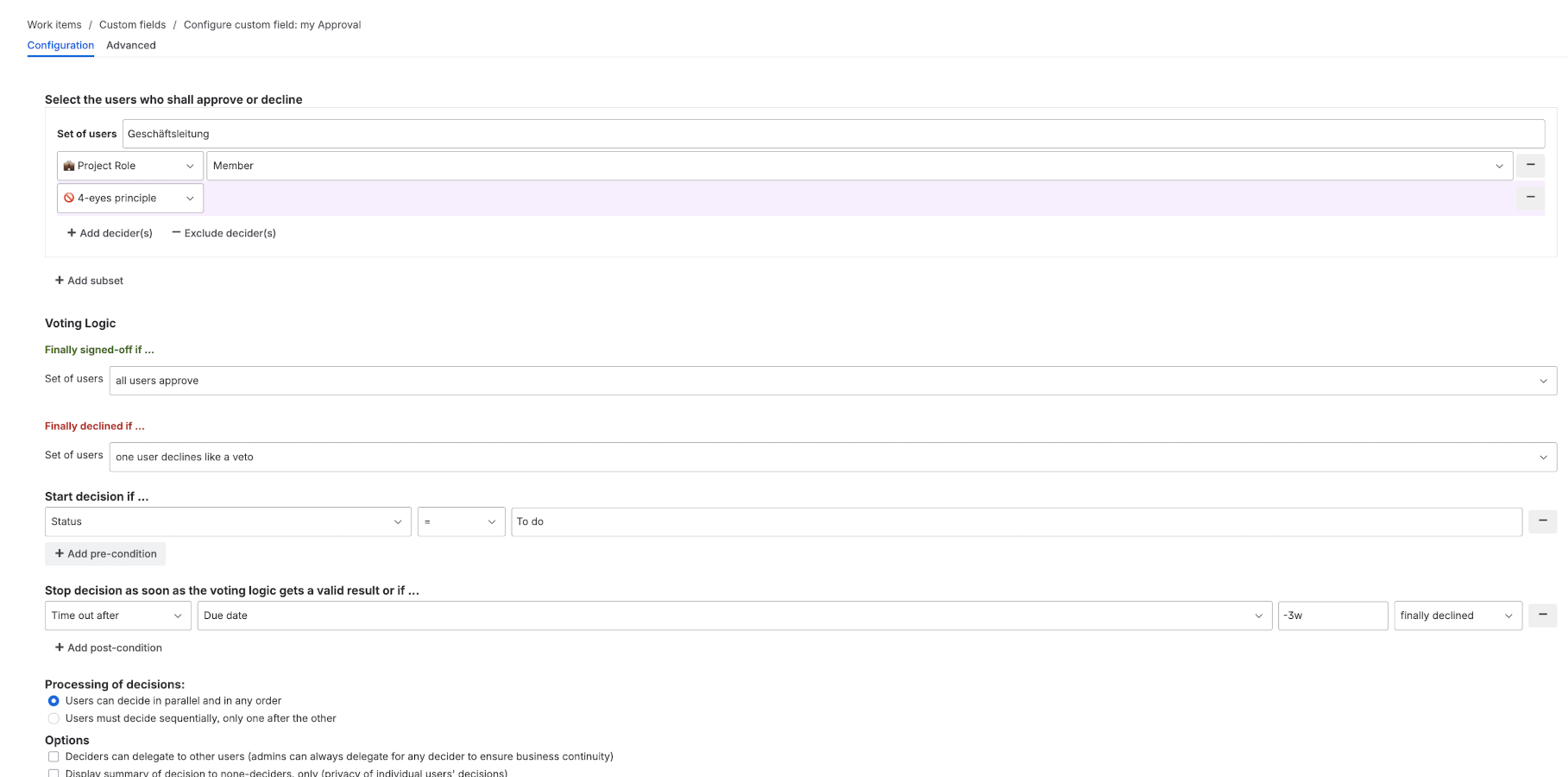
1. Create Segregated Approval Groups
Define at least two independent groups for each critical transition:
- Author cannot approve: the person who created or modified the work item is automatically excluded from the approval group
- Cross-functional groups: for example, one engineering reviewer and one QA reviewer ensures diverse perspectives
- Minimum threshold: require at least 2 approvals per group, or 1 approval from each of 2+ groups
2. Attach Approvals to Workflow Transitions
Block critical transitions (e.g., "Ready for Release", "Deploy to Production") until all required groups have signed off. The transition physically cannot proceed without the required approvals.
3. Enable the Audit Trail
Every approval, rejection, and delegation is timestamped and linked to a specific user, creating a clear decision history for audit preparation and compliance reporting.
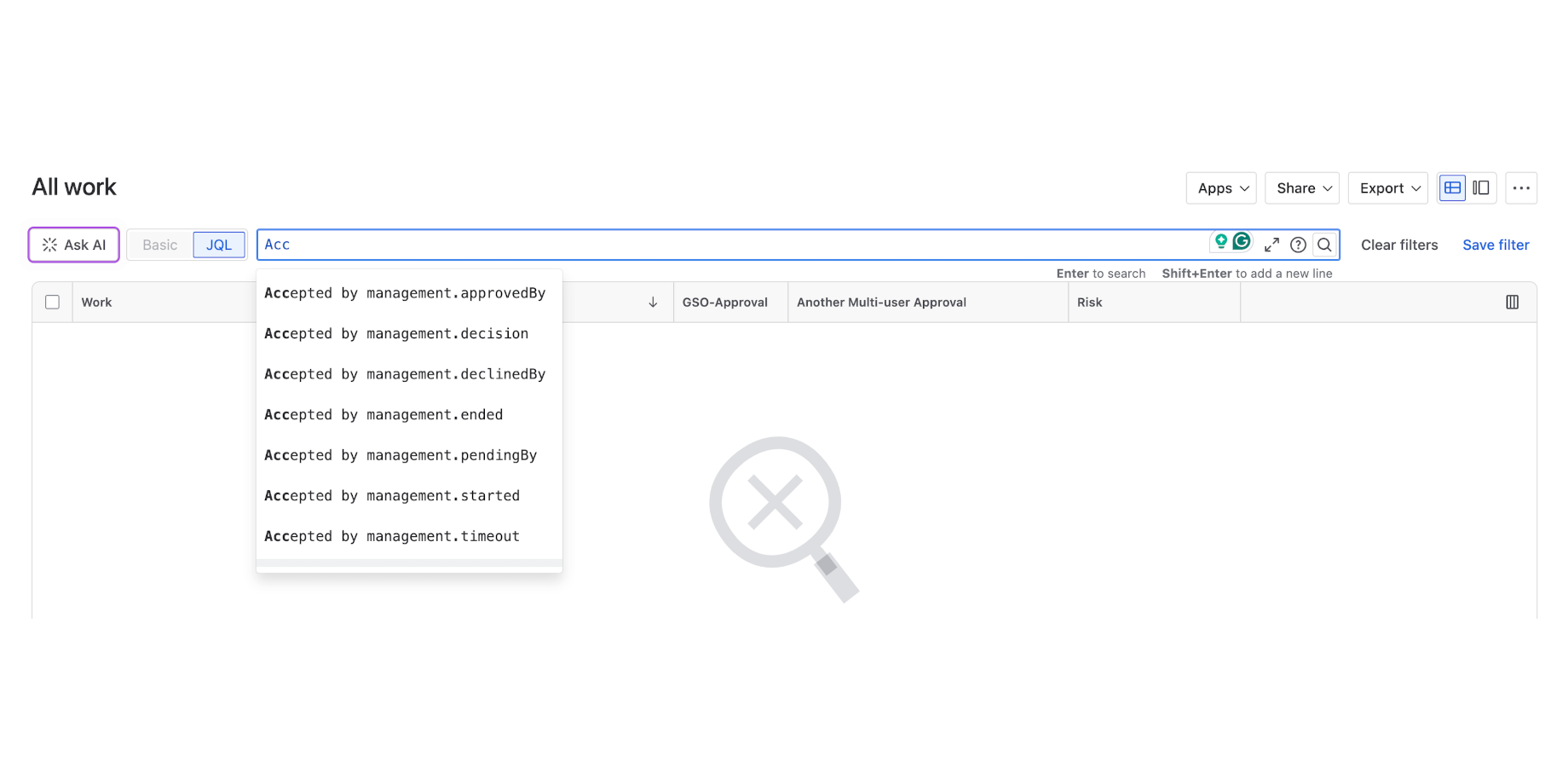
4. Configure Delegation
Define who can receive a delegated approval and how the team will monitor pending decisions when an approver is unavailable.
Audit-Ready Documentation
When auditors ask "how do you enforce dual approval?", you need to show:
- Policy: documented rules for who can approve what
- Enforcement: technical controls that prevent bypassing, not guidelines alone
- Evidence: timestamped records of every approval decision
- Segregation: proof that the author and approver are different people
Group Sign-Off provides the technical enforcement, decision history, and approver rules for items 2-4. Your team supplies the policy.
Common Implementation Mistakes
- Too many approvers: requiring 5+ people creates bottlenecks without improving safety. Two independent reviewers is the standard.
- Same-team approvals: having two people from the same team approve does not satisfy segregation of duties. Use cross-functional groups.
- Approval fatigue: if everything requires sign-off, people rubber-stamp. Reserve formal approvals for genuinely critical transitions.
- No rejection path: approvers need a structured way to reject with comments, not just approve or ignore.
- No visibility into approval status: teams should be able to see at a glance which approvals are pending, complete, or overdue. Using RAG status indicators to track approval workflow health can surface bottlenecks before they delay releases.
From Manual to Automated
Moving from email-and-spreadsheet approvals to tool-enforced sign-off changes the shape of the work. When the transition itself blocks until the right people have approved, nobody spends their week chasing reviewers or copying signatures into a spreadsheet to hand an auditor later. The evidence is a by-product of the approval, not a separate job.
The other shift is from sequential to parallel. Instead of an approval request waiting in one inbox before it moves to the next, multiple groups can review at the same time, which is usually where the waiting in a manual process actually goes. And because separation is enforced rather than assumed, the audit gaps that come from someone quietly approving their own work simply close.
Key Takeaways
- The four-eyes principle requires at least two independent people to review and approve critical decisions. Regulations including ISO 26262, SOX, DO-178C, and 21 CFR Part 11 mandate it.
- Jira's native workflows do not support multi-person approval, parallel sign-off, or compliance-grade audit trails.
- Group Sign-Off fills these gaps with structured approval groups, configurable transition conditions, and timestamped decision history.
- Moving from manual approvals to tool-enforced ones cuts the time lost to chasing reviewers and lets groups review in parallel instead of one after another.
- Start with critical transitions only. Over-applying approvals leads to rubber-stamping and approval fatigue.
Getting Started
If your team needs to enforce the four-eyes principle in Jira, start with a free trial of Group Sign-Off on the Atlassian Marketplace. It's available for Jira Cloud, Data Center, and Server.
Visit the Group Sign-Off product page for a full feature overview, or dive into our step-by-step guide on how to set up approval workflows in Jira.